See exactly how EliteReply works.
Real screens from the product: the preferences you set, the booking page your clients use, the AI screening, follow-up questions and the requests that wait for you.
Set what you take on.
Pick your minimum budget, the topics you want and the ones you don't take on, how soon you usually reply, and the questions your booking form asks. A live preview shows exactly what clients will see.
Preferences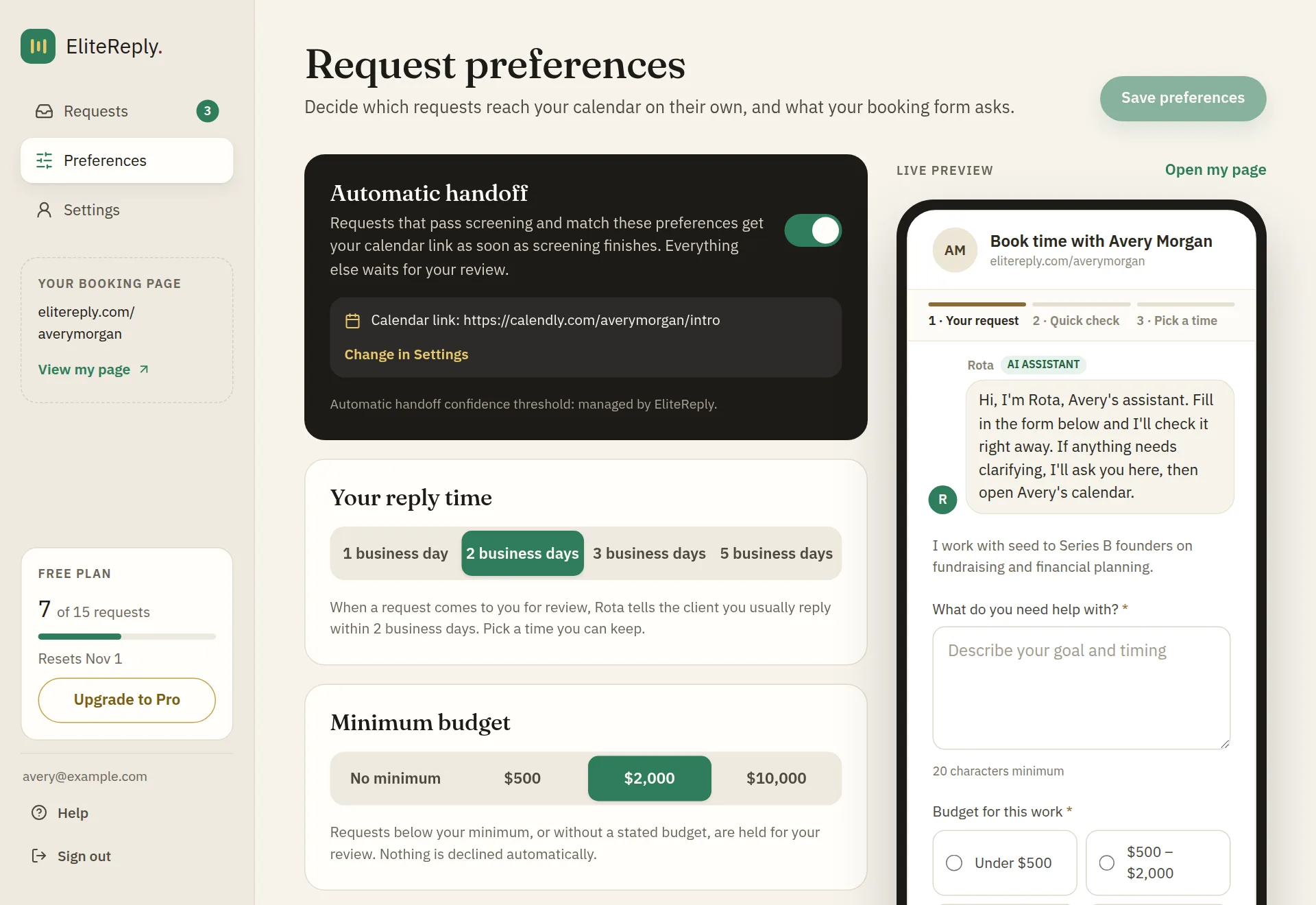
Clients request help on your booking page.
Share elitereply.com/yourname in your bio, email signature or website. Clients describe what they need and answer your questions, with no account needed. Rota, your AI assistant, greets them and is clearly labelled as AI.
Your booking page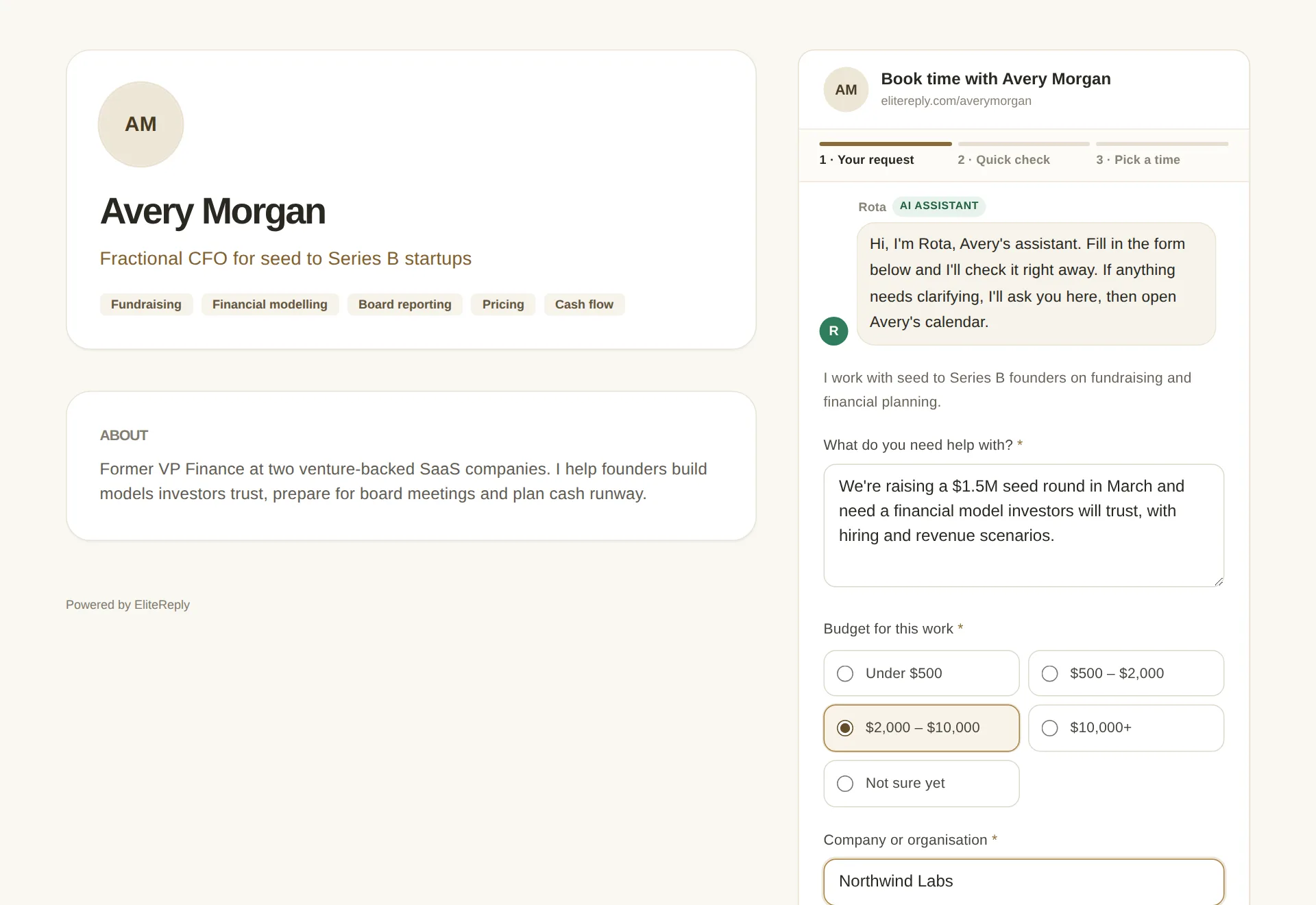
AI screens and scopes every request.
EliteReply checks that the request is serious and clear, that it fits your expertise and topics, and that the budget meets your minimum. It writes a short summary with an effort estimate, so you know the job before you reply.
Seriousness, fit and budget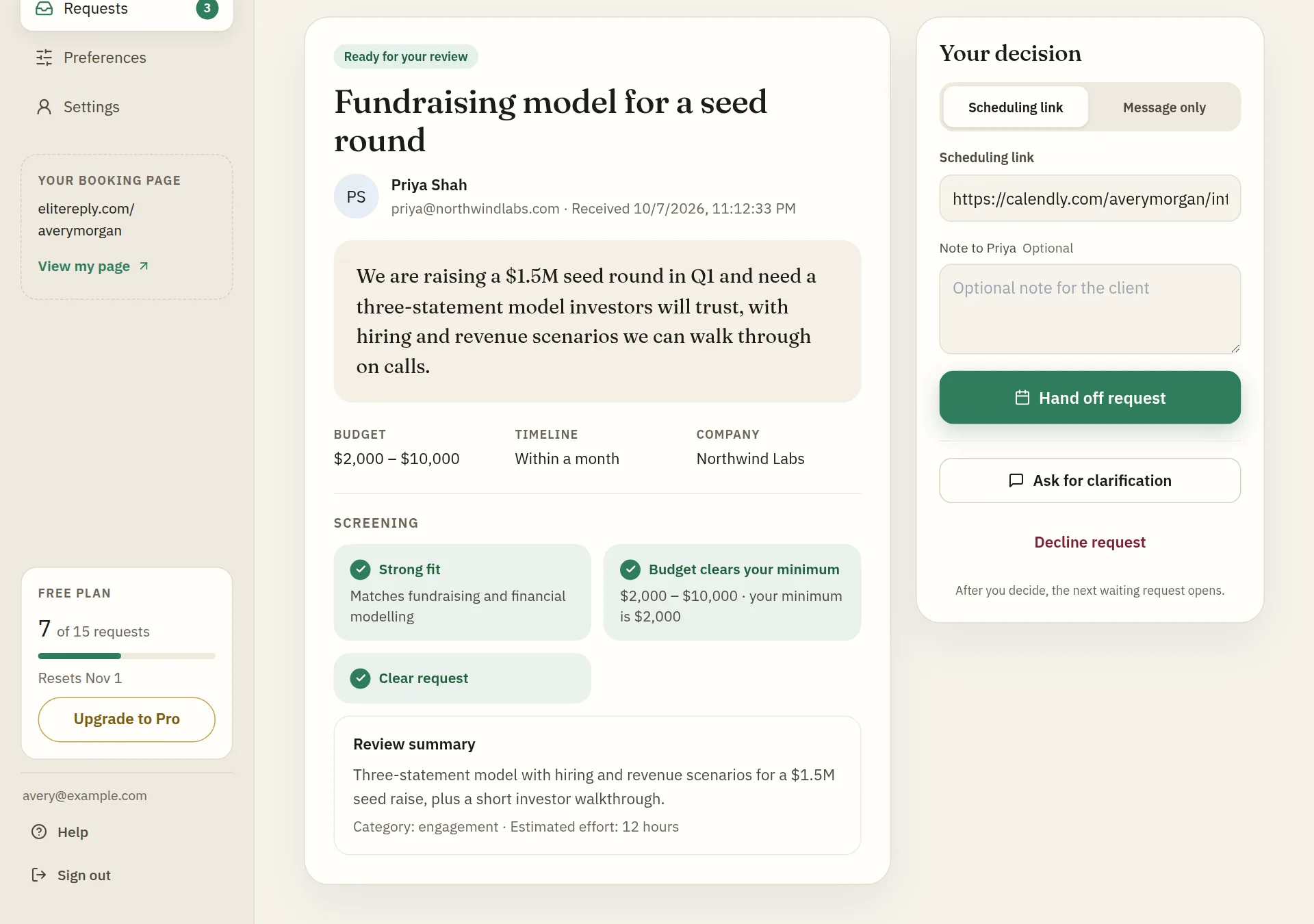
Vague requests get clarified before they reach you.
When a request needs more detail, Rota, EliteReply's AI assistant, asks the client up to three quick questions right on your booking page, with suggested answers to tap. The answers are screened again, so you see the full picture.
Rota on your booking page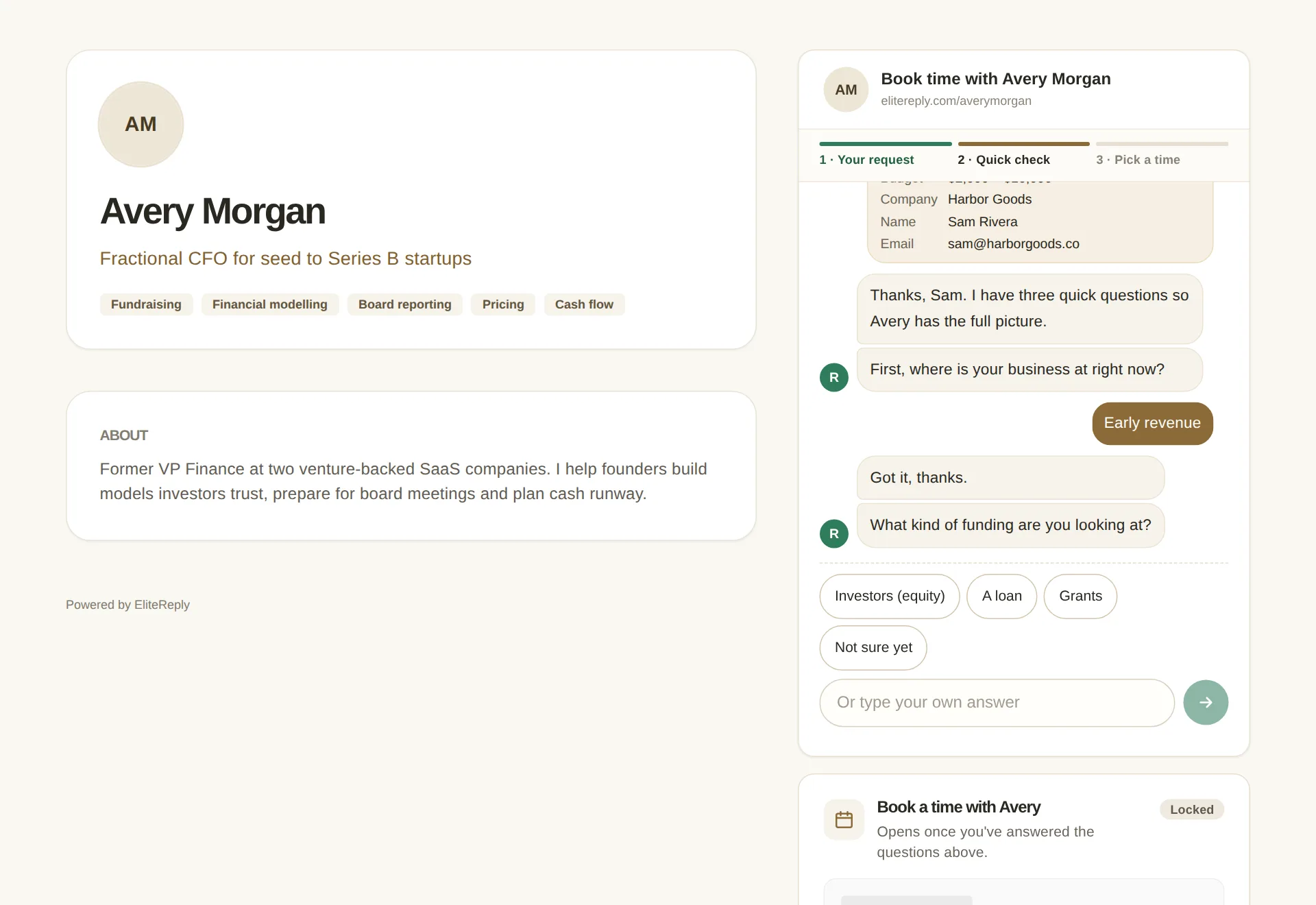
Ready clients book. You decide the rest.
With automatic handoff on, ready requests get your own Calendly, Google Calendar or other booking link right away. Everything else waits for you in Requests with the reason it was held. Hand it off, ask a question or decline, then record whether it was booked.
Everything else waits for you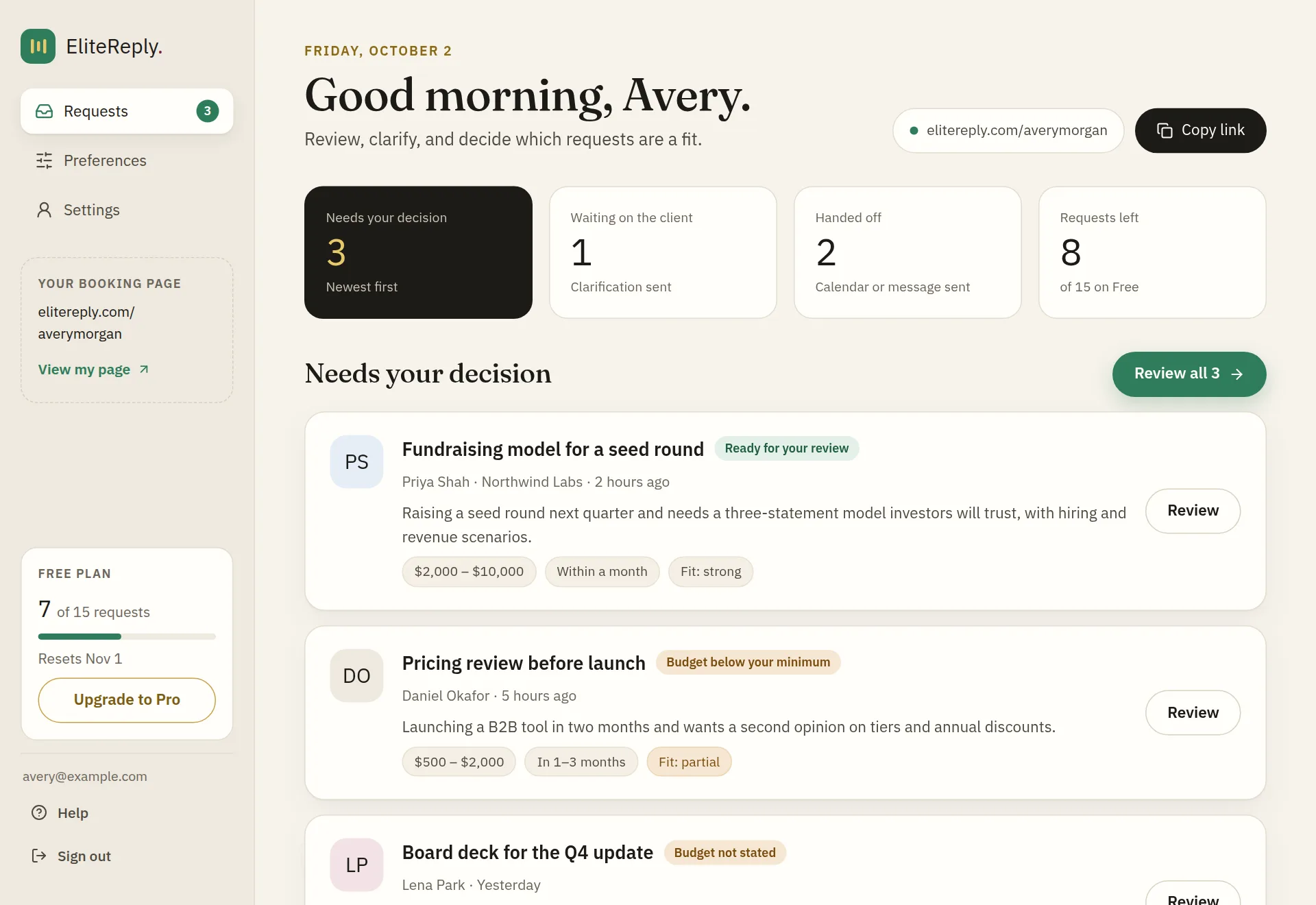


You decide what clients are asked.
Choose the questions on your booking page in Preferences: your own wording, a budget, a company, a timeline or a link. Click the settings below and watch the form change.
Only you and EliteReply see your minimum budget, your topics and the screening result. Clients only see the booking form.
- 1 · Your request
- 2 · Quick check
- 3 · Pick a time
Rota AI assistant
Hi, I'm Rota, Avery's assistant. Fill in the form below and I'll check it right away. If anything needs clarifying, I'll ask you here, then open Avery's calendar.
Your calendar stays yours. Ready clients book through the Calendly, Google Calendar or other booking link you already use.
Straightforward plans
Free: $0. 15 client requests a month. Spam and junk requests don’t count toward your 15. Your dashboard shows how many you’ve used and when your count resets.
Pro: $49/month (or $490/year). Unlimited requests, CSV export of your requests, and no EliteReply branding on your booking page. Cancel any time.
Get ProWorks everywhere
One link. Drop it anywhere people already reach you.
Your booking page. Your words. Your expertise. EliteReply helps organize new requests before you respond.